
.png)





4.4
Free
AnyDesk
Remotely access another computer

Code to FlowChart is designed to convert source code to flowchart. It helps users to understand complex program structure by visual diagrams. Code to FlowChart is composed of two parts, Code Editor and FlowChart window.
The FlowChart window is synchronal with the Code Editor. Click any logical box on the flowchart, the corresponding source code will be highlighted.
Code to FlowChart analyzes programming statements, loops, to build up a flowchart from the source code. Flowchart is based on the imported programming project files.
Double click on the logical boxes, the flowchart will be shrunk or expanded as your need. Especially, Code to FlowChart allows generating flowchart from source code segment.
This is very useful in locating logical errors or extra code when user is verifying a huge amount of source code. Code to FlowChart supports exporting flowchart as Visio, MS Word, MS PPT (PowerPoint), and BMP (Bitmap) files.
And the exported file can be edited as userâs needs. This is very useful for document writers. By using Code to FlowChart, programmers are free to get project overview, browsing and navigation.
It is a super assistant for both senior and junior programmer. Code to FlowChart supports C, C++, VC++ and Pascal/Delphi. Most programming language will be supported in the next version.
It is not a free code to flowchart tool, and please do not use the visual code to flowchart crack on it. Code to Flowchart Development Team will keep on developing on it to offer better services.
Key Features:Visual source code to flow chart;Export to Visio;Export to Word;Export to PowerPoint;Export to BMP (Bitmap);C code to flowchart;C++ code to flowchart;VC code to flowchart;Pascal/Delphi code to flowchart;Project Overview, Browsing and Navigation;Syntax highlighting for Source code;Synchronization between flowchart and source code;Verify correctness of function logic.
Detect errors;Use Flowcharts to review and reactive code;Edit flow charts;Friendly to senior/junior programmer, document writer;Neatly designed, easy to use;Clean interface, less CPU and space occupied.

Visualize your code using flow charts
.png)
Advanced Coding Editing Environment

Text and code editor, Unicode/UTF8/FTP ready.
Trial version
1
Windows
Other platforms (1)Windows 2000
English
13.8K
Have you tried Code to FlowChart? Be the first to leave your opinion!
Add reviewVisualize your code using flow charts
Advanced Coding Editing Environment
Text and code editor, Unicode/UTF8/FTP ready.
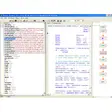
Code editor integrating code browser, program analyzer, & doc generator
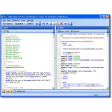
Export your C++ code into various file formats

Edit in Java with ease
Users can make a large amount of programming code without typing.

TopStyle: A Free Web Development Tool for Windows

Design and build your ideal game

A must have for developers and creators

Explore Kinect for Windows SDK Features

Manage your PC intelligently with Ellp

Create Your Own Shooter Game

Powerful Image Processing Tool for Developers

Protect your software and other files against illegal copy and manipulation.
Comprehensive Overview of Intel RealSense SDK
A Free Development program for Windows

Kinect for Windows SDK: A Development Tool

Make help files for your software automatically